
Best Laptops for Travel Agents in 2026
You've got 14 browser tabs open, Sabre in one, a supplier portal in another, your CRM loaded up, and a client on Zoom asking about Alaskan cruise balcony cabins. Your laptop is overheating and running really slow. I’ve been there before, constantly deleting things to make more space available and hope it runs a bit faster.
Choosing the right laptop isn't just a tech decision when you're a travel agent, it's a business decision. Your laptop is your office, whether you're working from your kitchen table, a hotel lobby, or an airport lounge between FAM trips. I've spent weeks digging through reviews, spec sheets, real travel-agent forums, and my own experiences to find the laptops that actually make sense for travel agents. Here’s what I’ve found!

What Travel Agents Actually Need in a Laptop
Before you get dazzled by flashy specs, let's talk about what matters for your workflow. Travel agents aren't editing Hollywood films or rendering 3D models. You're running GDS platforms like Sabre, Amadeus, and Travelport, juggling CRM tools like ClientBase, managing back-office software like TRAMS, and hopping between supplier websites, all while keeping Outlook and Zoom humming in the background.
Here's your real-world checklist:
Processor: Intel Core i5/i7 or AMD Ryzen 5/7 — anything current-gen will handle your multitasking without breaking a sweat.
RAM: 16GB minimum. You'll thank yourself when you've got 20+ tabs open alongside your GDS and a video call.
Storage: 512GB SSD. Fast boot times, quick app launches, and enough room for documents, training materials, and client files.
Display: At least 1920×1080 (Full HD). A 14-inch screen hits the sweet spot between portability and usability. Bigger is nice at a desk; smaller is a pain when you're reading fare rules.
Battery life: 10+ hours. You don't want to hunt for outlets during a layover or at a coffee shop.
Weight: Under 3.5 lbs if you travel frequently. Your shoulders will thank you.
Ports: At least one USB-A (clients still hand you thumb drives!), USB-C, and HDMI for presentations.
Here's something I’ve learned over years of different laptops, many GDS systems and travel-industry tools are still optimized for Windows. If you're leaning toward a Mac, just make sure your host agency's platforms play nice with macOS first. Most browser-based tools work fine, but a few legacy systems can be stubborn.
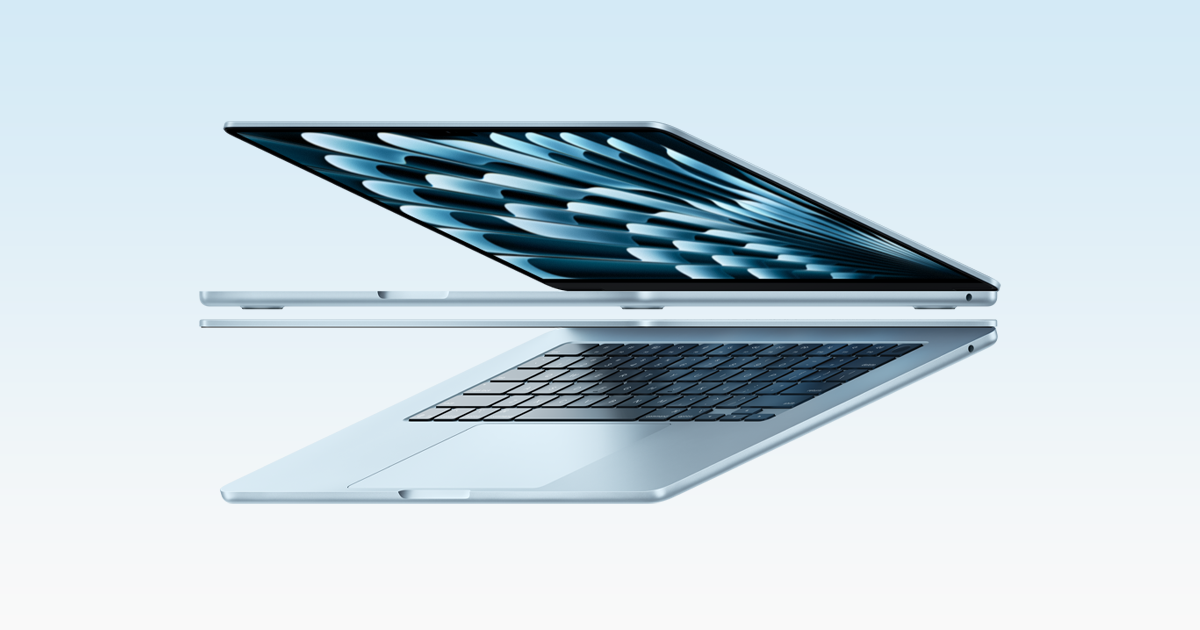
MacBook Air M4
Top Laptop Picks for Travel Agents in 2026
Best Overall Laptop
The MacBook Air with the M4 chip is simply one of the best values in tech right now! It starts at $999, weighs just 2.7 lbs, and delivers 14–16 hours of real-world battery life. The 13.6-inch Liquid Retina display is gorgeous for reading supplier content and building client proposals. Apple dropped the price $100 from last gen and bumped the base RAM to 16GB, a huge win!
If your host agency runs everything through a browser (and most modern ones do), this machine handles it beautifully. The M4 chip makes multitasking feel effortless. Just keep in mind that some niche travel software still prefers Windows.
Specs: M4 chip | 16GB RAM | 256GB–2TB SSD | 15+ hour battery | 2.7 lbs
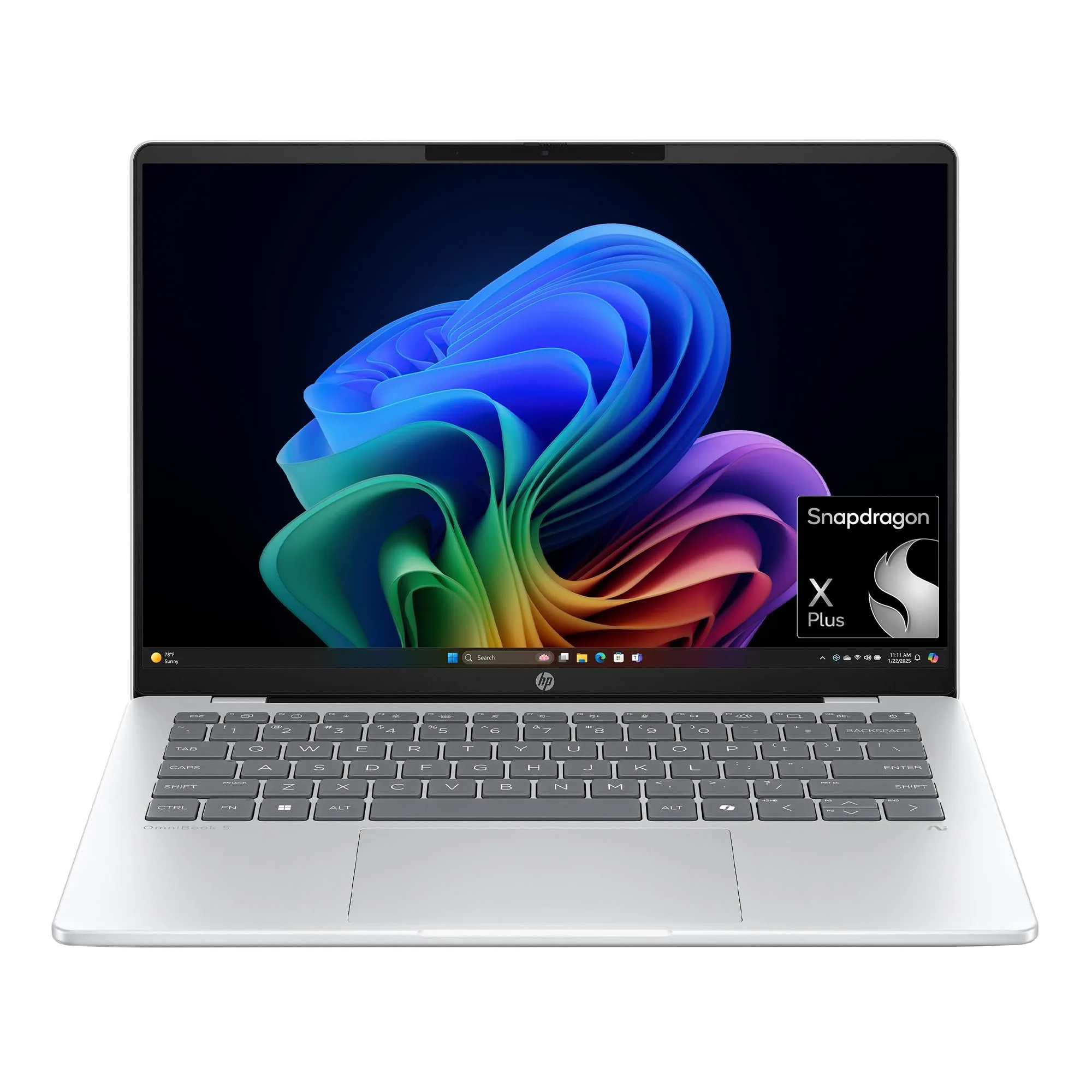
HP Omni 5
Best Windows Laptop
If you need a Windows machine, and honestly, most travel agents do, the HP OmniBook 5 14 is a revelation. It scored a jaw-dropping 28+ hours of battery life in CNET's tests and up to 34 hours in PCMag's evaluation. You read that right. It ships with a Snapdragon X Plus processor, 32GB of RAM, and a 1TB SSD for under $850!
The 14-inch OLED display looks stunning, the build is lightweight and travel-friendly, and it handles web browsing, CRM tools, and video calls without flinching. One caveat, the Arm-based Snapdragon chip may not play well with every legacy Windows app, so double-check compatibility with any desktop-installed GDS software.
Specs: Snapdragon X Plus | 32GB RAM | 1TB SSD | 28–34 hour battery | ~3 lbs
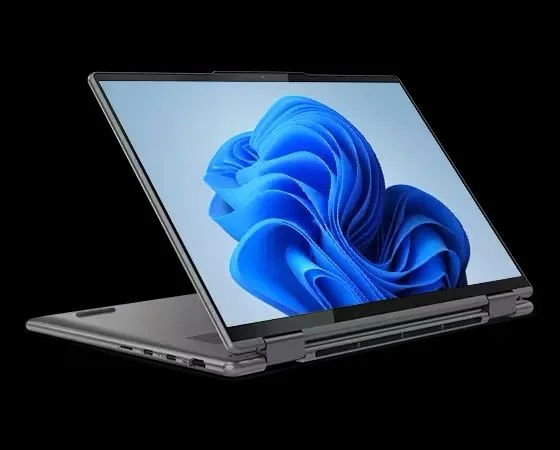
Lenovo Yoga
Best 2-in-1 Laptop
Want a laptop that doubles as a tablet for client presentations or on-the-go research? The Lenovo Yoga 7i 2-in-1 is Wirecutter's top overall Windows pick, and it's easy to see why. Its 360-degree hinge lets you flip between laptop, tent, and tablet modes. You get an OLED touchscreen, up to 16 hours of battery life, and Intel Core Ultra processing — all starting around $899.
At just over 3 lbs, it's portable enough for travel days and versatile enough for trade shows. Pair it with a stylus and you've got a note-taking machine for site inspections, too.
Specs: Intel Core Ultra 7 | 16–32GB RAM | Up to 1TB SSD | ~16 hour battery | 3.04 lbs
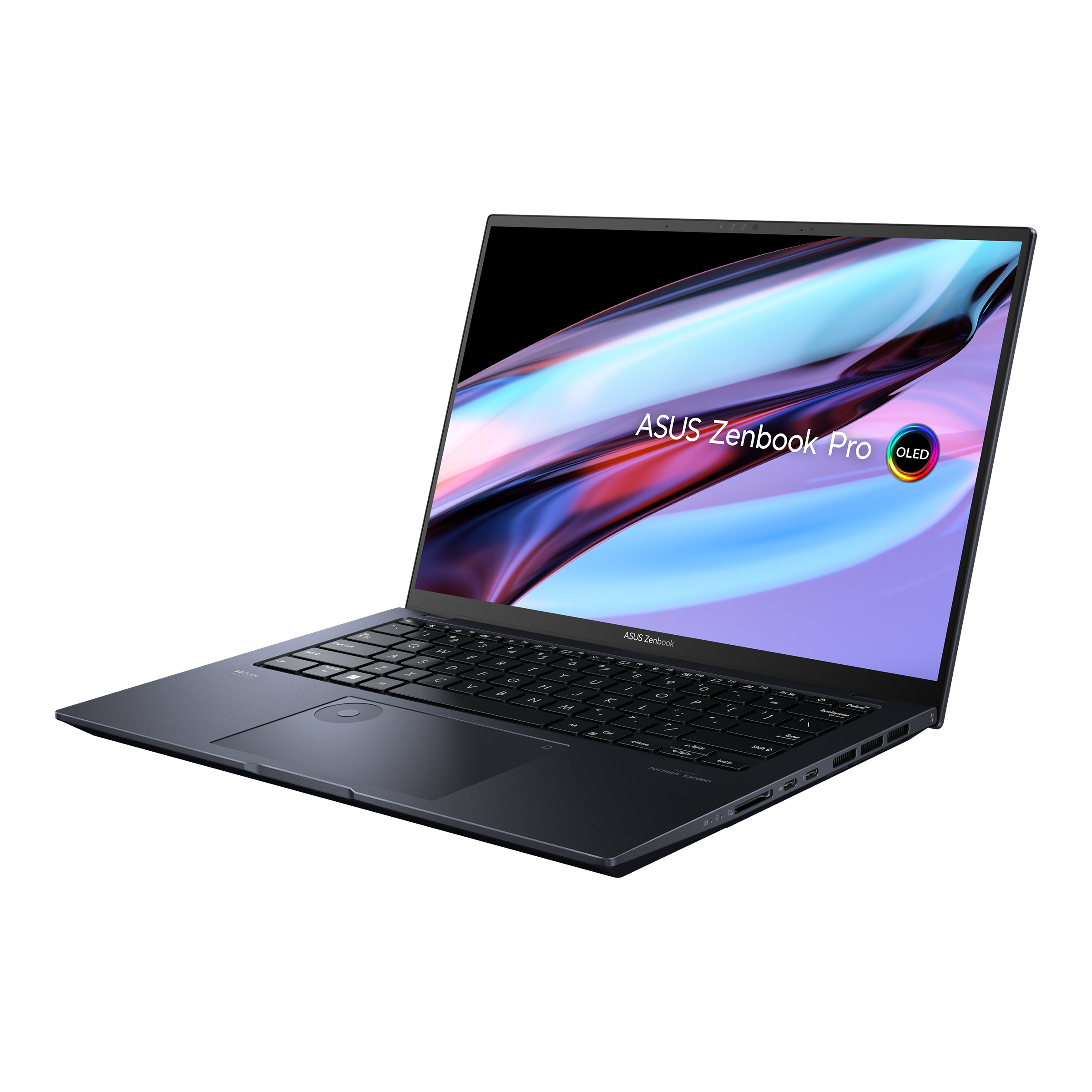
Zenbook 14
Best Budget Option
Working with a tighter budget doesn't mean settling for junk. The ASUS Zenbook 14 OLED starts at $800 and gives you an all-metal build, a vibrant OLED display, and solid Intel Core Ultra performance. It weighs under 3 lbs and offers battery life that'll get you through a full workday!
The catch? The base config only includes 8GB RAM, so spring for the $1,100–$1,300 tier with 16GB or 32GB if you multitask heavily. At that price, you're getting a machine that punches way above its weight class.
Specs: Intel Core Ultra 5/9 | 8–32GB RAM | Up to 1TB SSD | All-day battery | 2.8 lbs
ThinkPad X1 Carbon
Best for Power Users
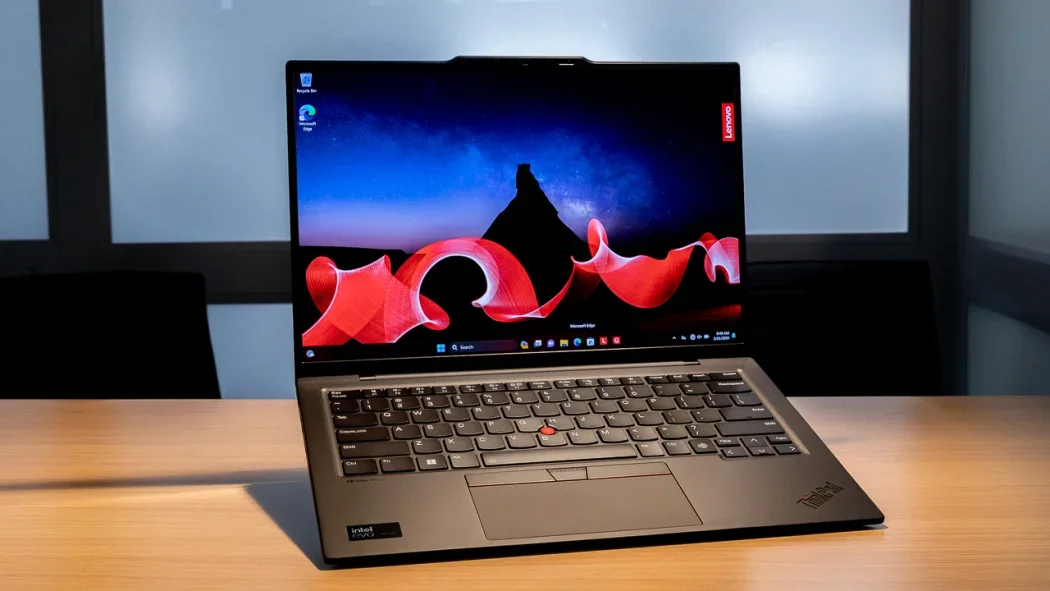
If you're running a larger agency, managing a team, or doing heavy content creation alongside your bookings, the ThinkPad X1 Carbon Gen 12 is the gold standard in business laptops. It weighs just 2.4 lbs, offers an optional OLED display, and comes loaded with ports, including two USB-A, two Thunderbolt 4, and HDMI.
It's not cheap (starting around $1,500–$1,600), but the legendary ThinkPad keyboard, military-grade durability, and IT-friendly repairability make it a long-term investment.
Specs: Intel Core Ultra 7 | Up to 64GB RAM | Up to 2TB SSD | ~13 hour battery | 2.4 lbs

Mac vs. PC for Travel Agents
This question pops up constantly in travel-agent communities, and the honest answer is: it depends on your tools. Most modern host agencies, including the big ones run browser-based platforms that work on either operating system. Travelport's Smartpoint Cloud, for instance, works from any device.
But here's the thing, some agencies still use legacy desktop GDS cores or Windows-only CRM integrations. If your host agency recommends Windows, listen to them. If everything you need lives in a browser, grab whatever you're most comfortable with. You can always run Parallels on your Mac, that gives you a virtual machine that will run Windows and all Windows software!

Quick Comparison
MacBook Air M4 — Starts at $999. You get 14–16 hours of battery life in a sleek 2.7 lb package. Best for Mac lovers who prioritize portability and a gorgeous display!
HP OmniBook 5 14 — Starts at just $679. The battery life is absolutely wild, 28–34 hours in testing. Weighs around 3 lbs. Best for agents who need all-day (and then some) power on a budget.
Lenovo Yoga 7i 2-in-1 — Starts at $899. Around 16 hours of battery life and 3.04 lbs. The 360-degree hinge makes it perfect for client presentations and trade shows.
ASUS Zenbook 14 OLED — Starts at $800. All-day battery in a premium all-metal build at just 2.8 lbs. Best for agents who want a high-end feel without the high-end price tag.
Lenovo ThinkPad X1 Carbon Gen 12 — Starts at $1,500. About 13 hours of battery life, and it's the lightest of the bunch at 2.4 lbs. Best for power users who need top-tier durability and a full spread of ports.

Helpful Tips
Get a privacy screen filter. You're handling clients' passport numbers, credit cards, and travel itineraries. Working in public? Protect that data.
Invest in a portable monitor. A second screen changes your life when you're comparing fares or building complex itineraries. Lightweight 15-inch USB-C monitors cost under $200.
Test your GDS before committing. Most retailers have generous return policies. Set up your workflow in the first week and make sure everything runs smoothly before the window closes.
Consider cellular connectivity. Some business laptops offer optional 5G/LTE. If you're regularly working from airports or areas with spotty Wi-Fi, it's a game-changer!

FAQ’s
What laptop do most travel agents use?
Most travel agents gravitate toward Windows laptops because many industry tools, including GDS platforms like Sabre, Amadeus, and Travelport, are optimized for Windows. Popular choices include mid-range business laptops from HP, Lenovo, and Dell in the $700–$1,200 range.
Can I use a Chromebook as a travel agent?
You can if your entire workflow is browser-based, but it's risky. Chromebooks can't run traditional desktop applications, and some CRM tools or GDS software may not function correctly in ChromeOS. A Windows laptop or Mac is a safer bet.
Is 8GB RAM enough for a travel agent?
It'll work for light tasks, but you'll feel the squeeze quickly. With multiple browser tabs, a GDS, CRM, and a video call running simultaneously, 16GB is the sweet spot!
Do travel agents need a dedicated graphics card?
No. Integrated graphics from Intel or Apple are more than enough for travel-agency work. Save your money for more RAM or storage instead.
What's the best laptop screen size for a travel agent?
A 14-inch display is ideal for most agents, it balances readability with portability. If you mostly work from a home office and rarely travel with your laptop, a 15- or 16-inch screen gives you more room to multitask!
How long should a travel agent's laptop last?
With proper care, a quality laptop should serve you well for 4–5 years. Investing in at least 16GB RAM and a current-gen processor helps future-proof your purchase so you're not shopping again in two years.

Your Laptop Is Your Business Partner
Here's the bottom line, your laptop isn't just a tool, it's the engine behind every booking you make, every client relationship you nurture, and every dollar of commission you earn! The good news is you don't need to spend a fortune! Whether you grab the ultra-efficient MacBook Air M4, the battery beast HP OmniBook 5, or the versatile Lenovo Yoga 7i, any of these machines will keep you productive, professional, and ready for whatever your next travel day throws at you!
Pick the one that fits your workflow, test it with your software, and hit the ground running. Your clients, and your business, deserve it! Let us know which laptop you like to use and why!
Become a Travel Professional for Only $99
Turn your love of travel into extra income from home!
Join Now